Importing customers

To bulk import your customers, you'll need a csv file which contains your customers' data - refer to Customer interface.
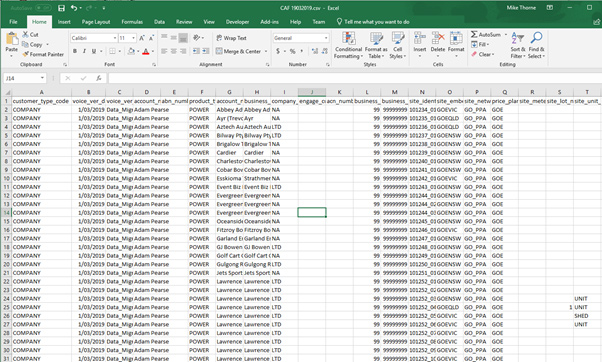
- Customer type code is either company or resident
- Product type will be power, water or gas
- The price plan code you enter will be the same as the price plans you've already created
- Your offer will always be standard
- Invoice delivery method is post or email
Below is an example of a csv file.
Save your customer csv file in the Customers Import folder in your One Drive or Google Drive shared folders.

Every 30 minutes, Utilmate will poll this folder and import your customer data.
- If the file is ok and customers are loaded, the csv file will move into the Archive folder.
- If there is a problem with your file, it will go into the Error folder with an error file explanation.
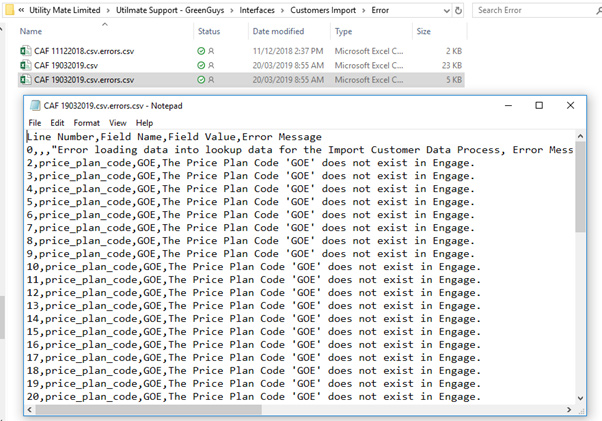
Note: If your file doesn't go in the first time or the error doesn't mean much to you, contact us as we'll be happy to help.
When a new customer is added into Utilmate (via interface file or through the wizard) Utilmate checks to see if the contact already exists. If the customer does exist, it is matched on:
- First and last name
- Date of birth
- Email address
- Phone number
If three of the above match, Utilmate determines this must be the same person and links the new customer account to an existing contact.
This functionality has been made configurable, so that is can be enabled or disabled. If you would like this disabled, please raise a support ticket.
Comments
0 comments
Please sign in to leave a comment.