Upload a document

Documents (of up to 5MB) can be stored in Utilmate against a customer. These could be:
- Application forms
- Photo's of ID or meter reads
- Emails received from the customer
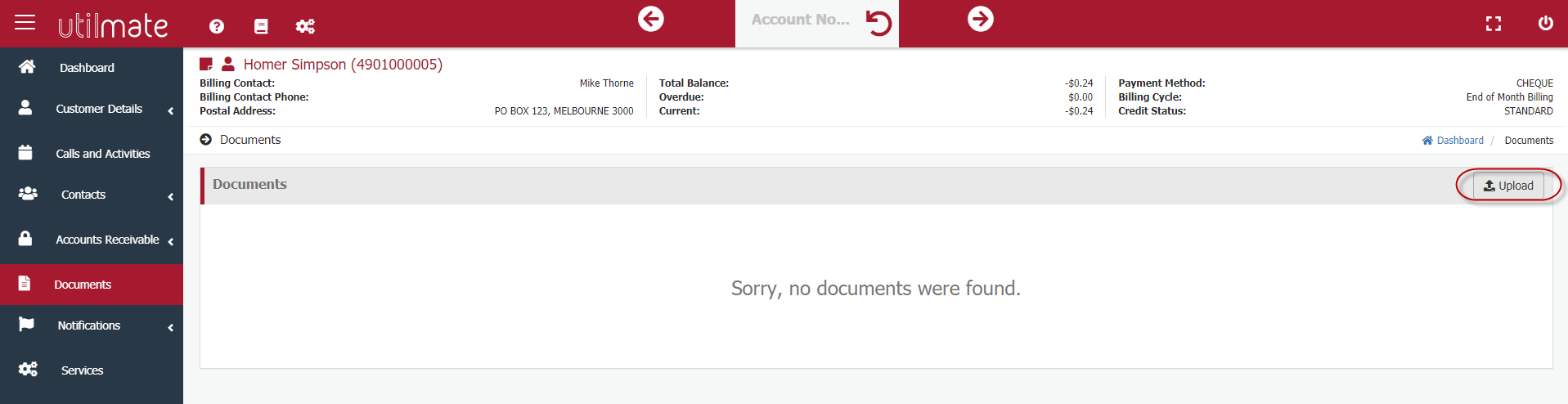
To upload a document, go to the documents screen and click on the Upload button.
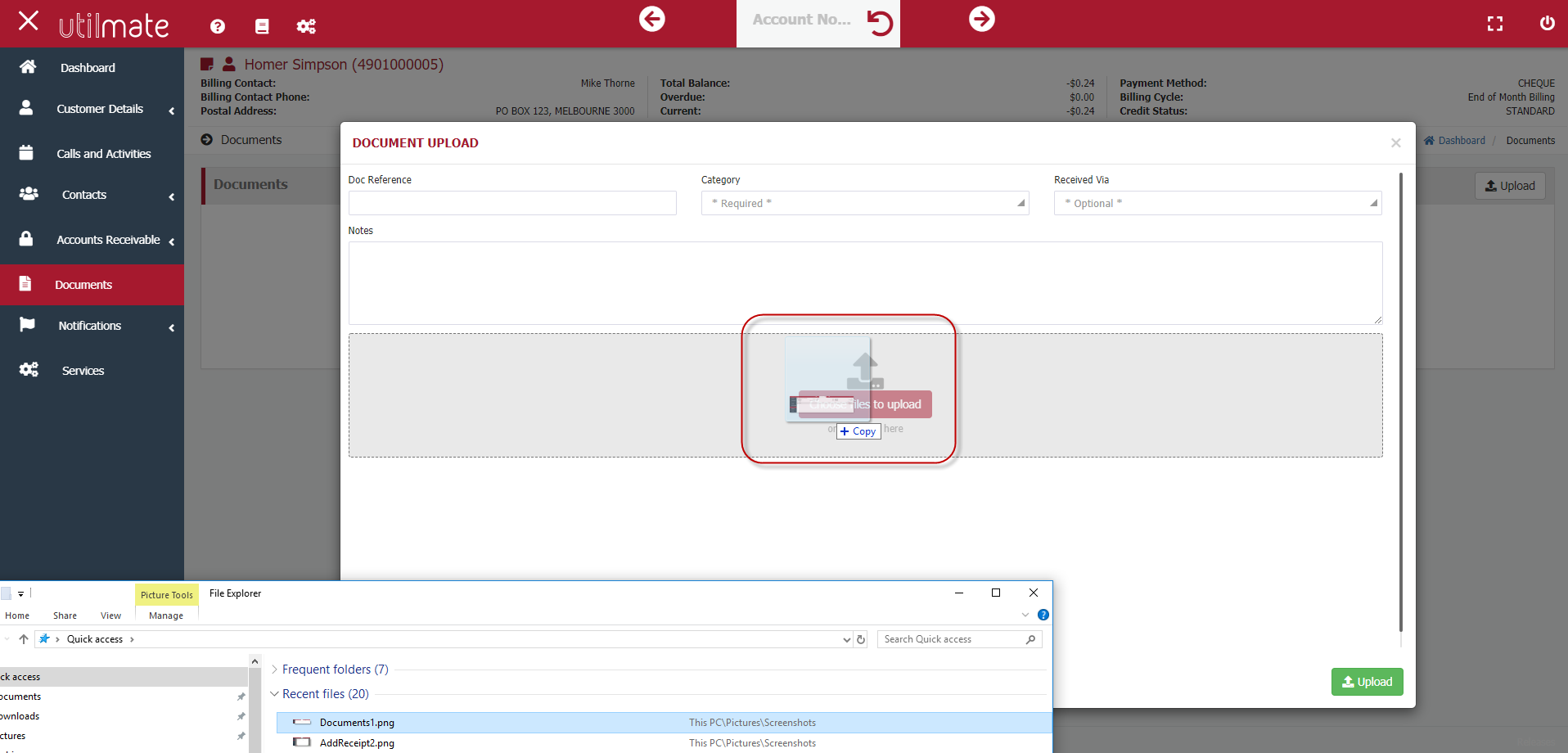
Enter your document reference (optional), category and method it was received (optional).
You can either drag the required file into Utilmate or click on Choose File to Upload to select it from windows explorer.
Comments
0 comments
Please sign in to leave a comment.